Products
One platform, built around rostering
Rostering is the flagship. It drafts against the forecasts and staffing requirements that Staff Planning supplies. Hospital Supply Planning and Programme Supply Planning plan stock, Disease Forecasting forecasts disease burden, and one assistant works across all of them on the same platform.
Our flagship
Rostering
The question: How do we cover every shift with the right people within the working-time rules?
Who it is for: Ward managers and workforce planners, and the people who approve and publish rosters.
The roster grid
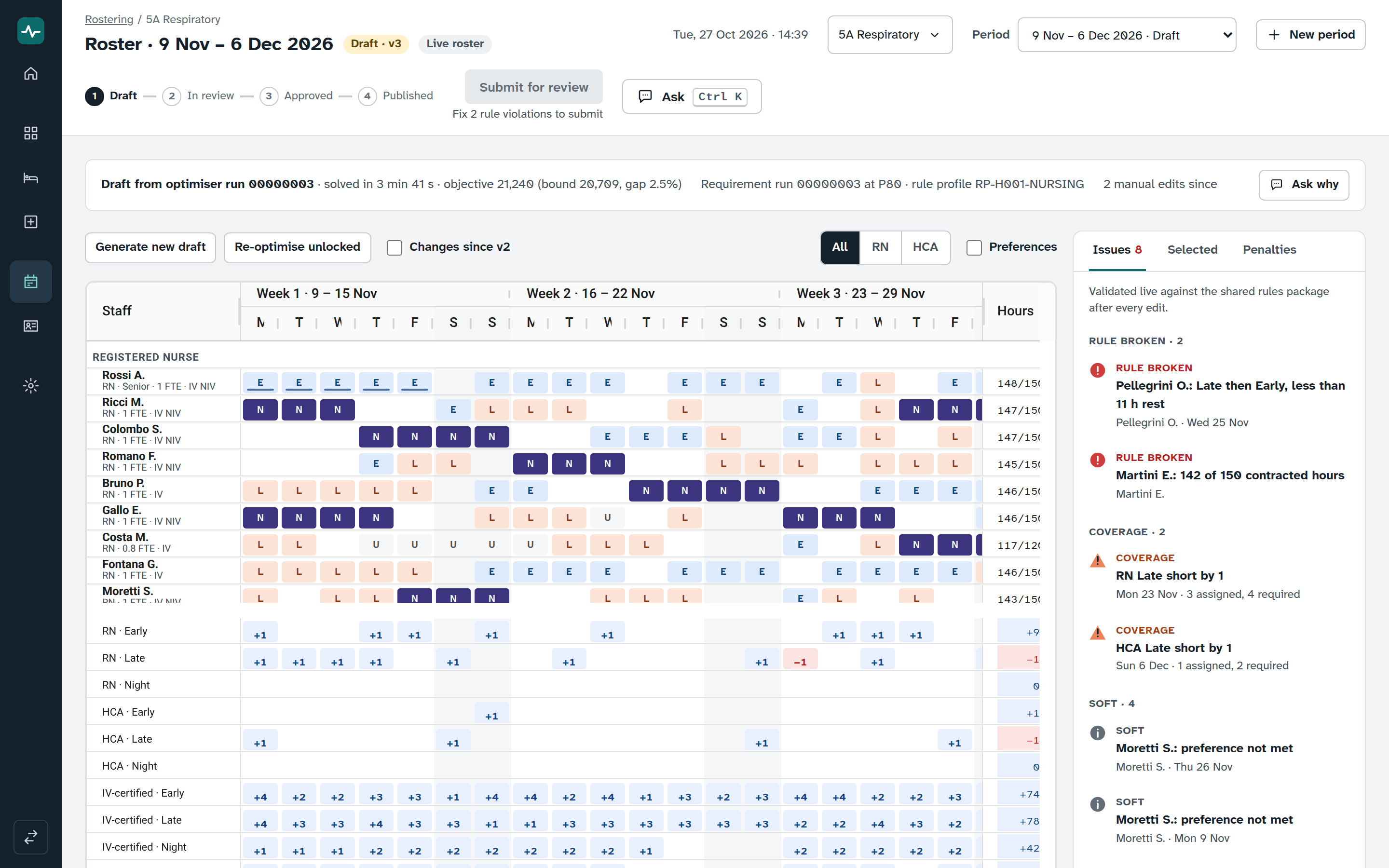
- Staff by day for a whole period, with shift codes, absences, locks, preferences and coverage rows.
- Hours against contract beside every person.
- An issues panel that lists each broken rule, gap in cover and skill gap, and jumps to the cell for an issue about a person.
- Click a cell, type a shift code, and the rules run again.
An optimiser that drafts and re-drafts
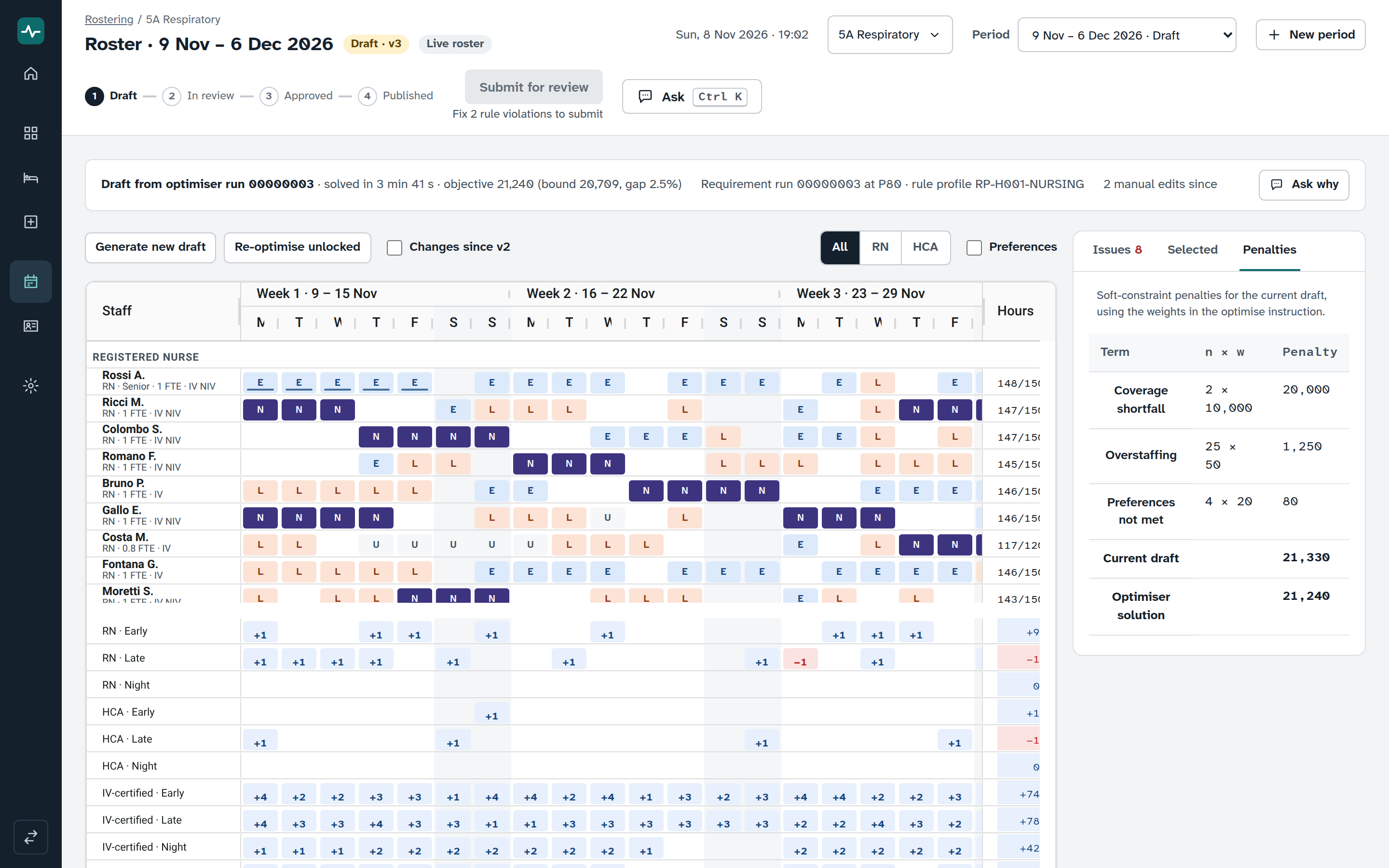
Generate a draft for the period, or re-optimise the unlocked cells and keep every lock. The optimiser drafts against working-time rules, rest, contracted hours, skills and absences, and it shows the trade-offs it made. Ask why opens the assistant on the run.
Draft, review, approve, publish
Each step has its own permission. Submitting is blocked while rules are broken. Nothing is published automatically, and every change is logged.
Shadow mode
Draft, optimise and approve a roster that is never published, and keep it on record.
Staff, absences and requests
Staff records with contracts and skills, absences, requests for the period, and CSV import with a dry run.
Staffing rules
Ratios and minimums as versioned rules with validity dates, and an impact preview before you save.
Staff Planning
How many patients, how many staff, who works when?
Who it is for: Ward and nursing managers, and bed managers.
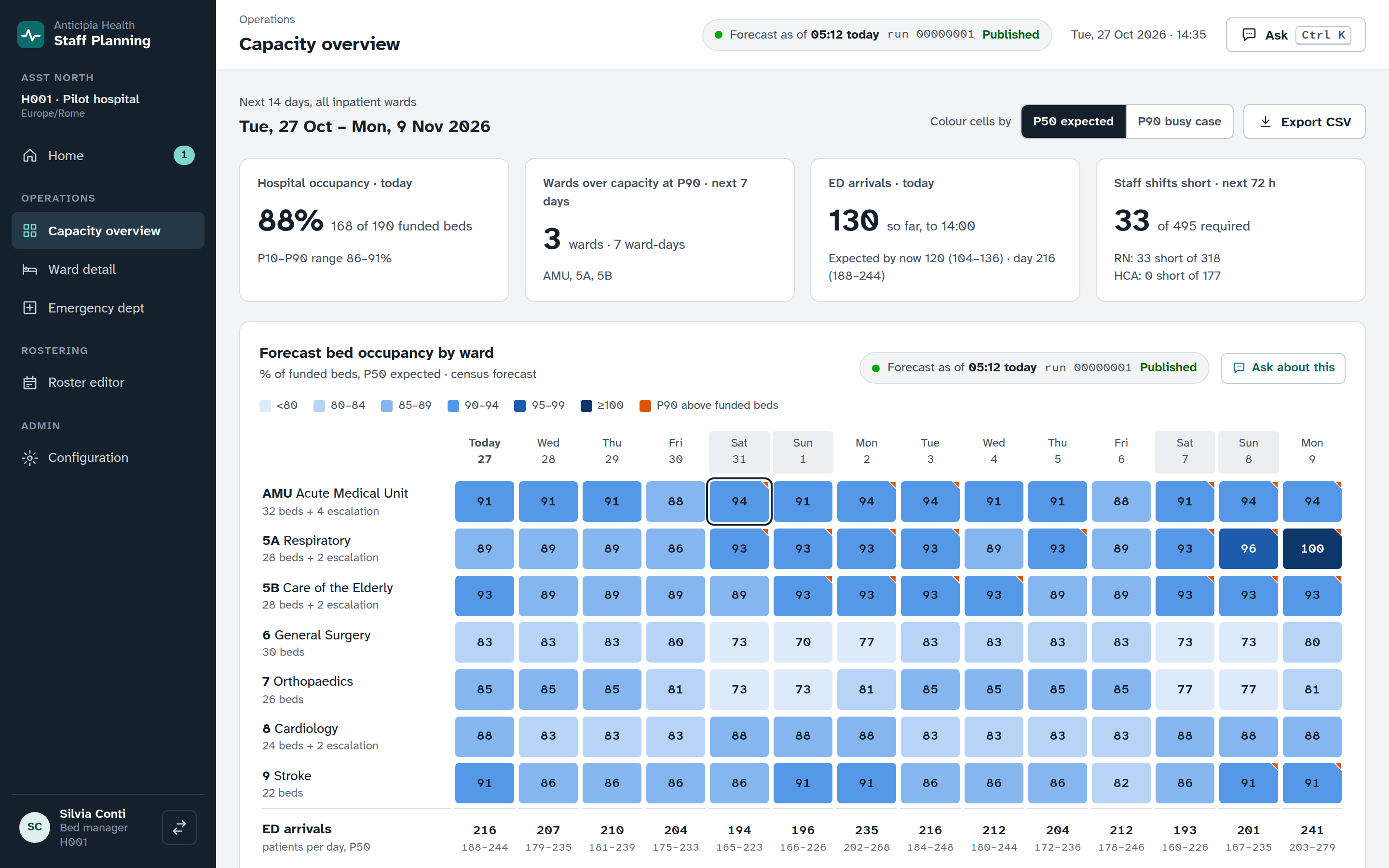
- A capacity overview with a heatmap of wards by day.
- Ward detail with a census forecast as an expected case and a busy case.
- An emergency department view that follows the hour.
- Staffing requirements for every ward, shift and role, from your own ratios and rules.
Hospital Supply Planning
Which drugs and consumables will run low, and what should we order?
Who it is for: Pharmacy and supply managers, and ward requesters.
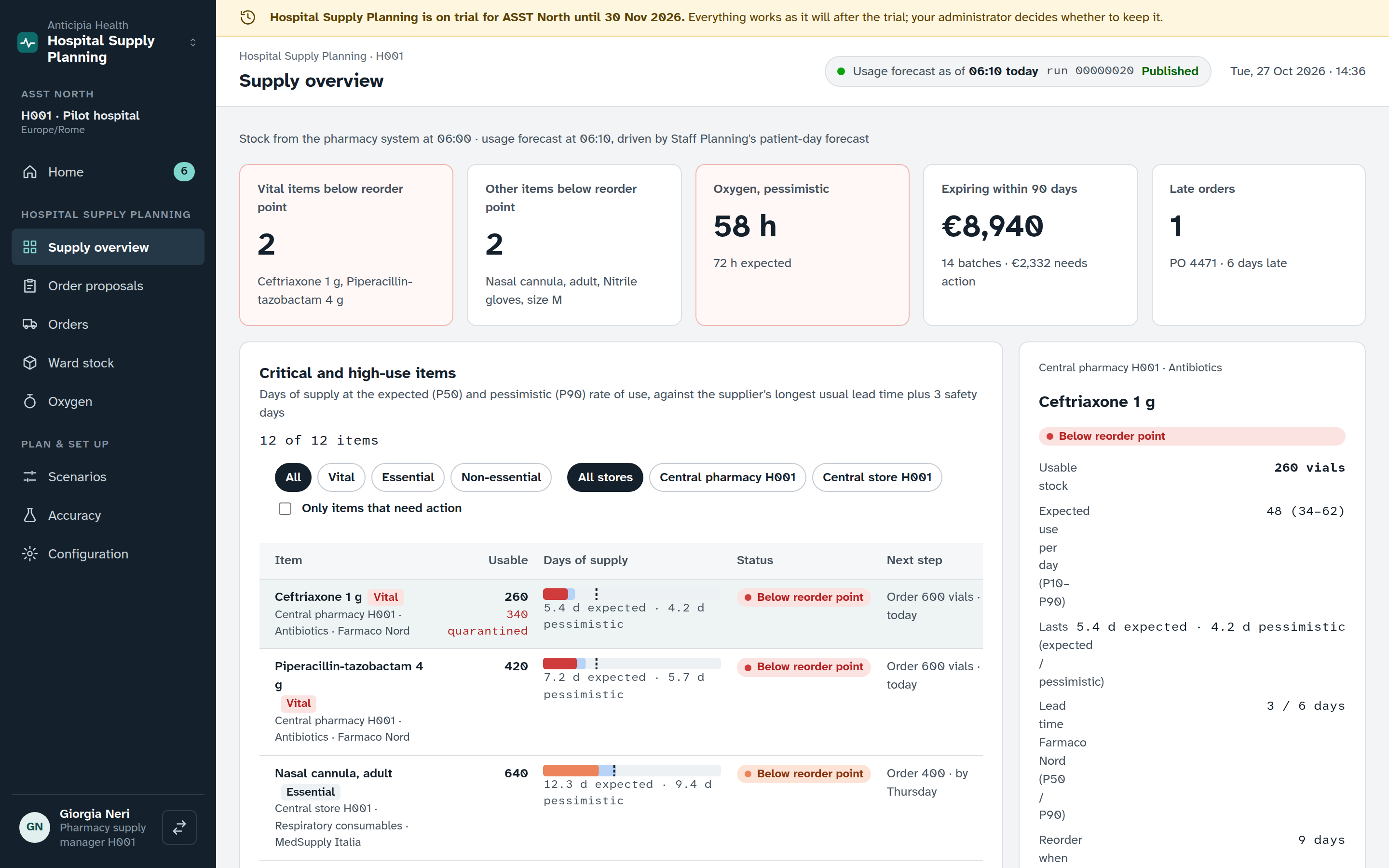
- A supply overview of items, with days of supply against the reorder point.
- Order proposals that move from draft to review, approval and ordered, with a reason for every change.
- Ward stock against par, with top-up requests.
- Oxygen, a controlled drugs register and recalls.
- Scenarios, and an accuracy screen that compares each method with two baselines.
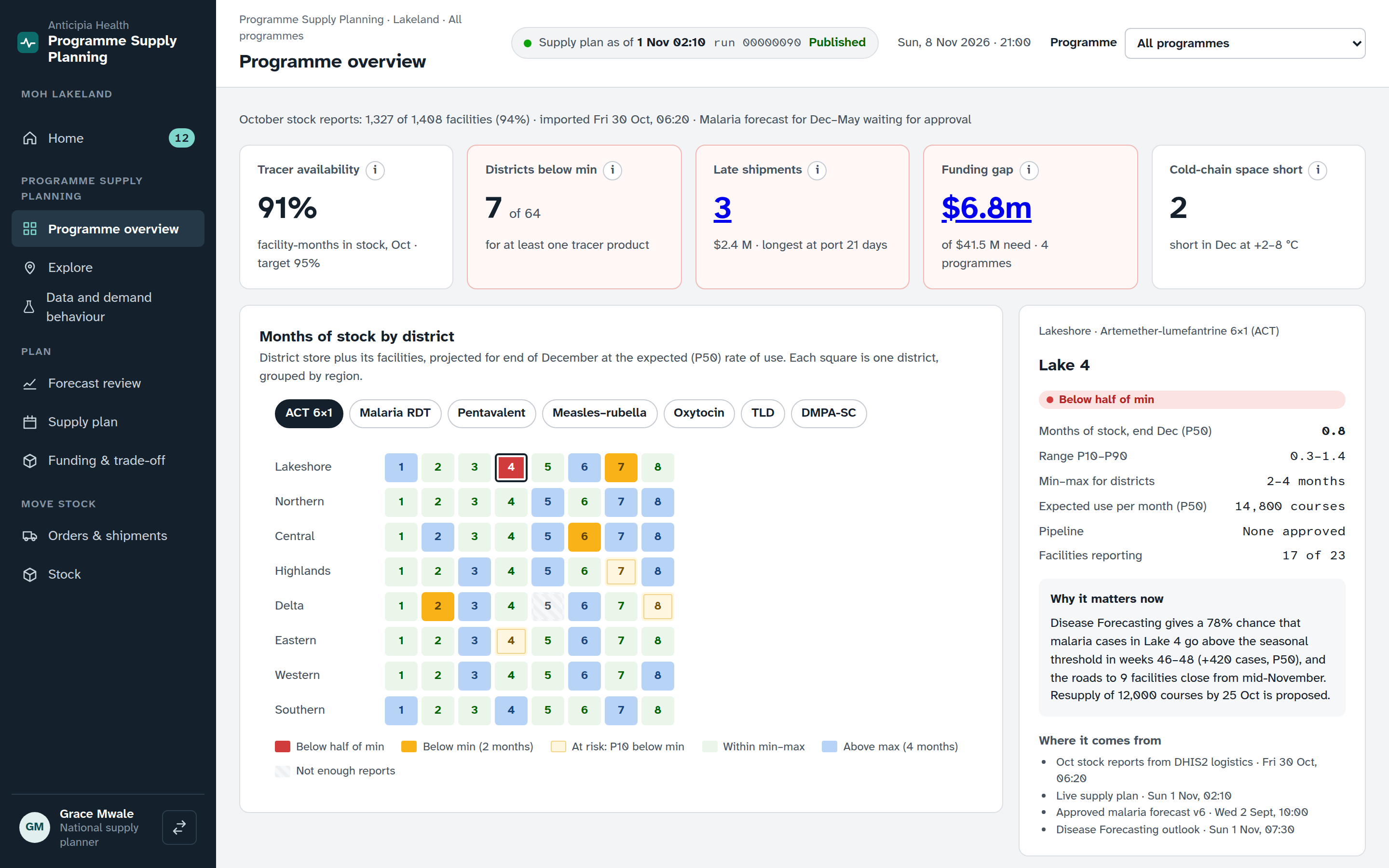
Programme Supply Planning
What does a region or programme need, and how do we fund and move it?
Who it is for: Ministry and national supply planners, and programme managers.
- A programme overview with months of stock by district for each tracer product.
- Forecast review that compares two methods or blends them, and a supply plan.
- Funding and trade-offs.
- Orders and shipments, and stock.
Disease Forecasting
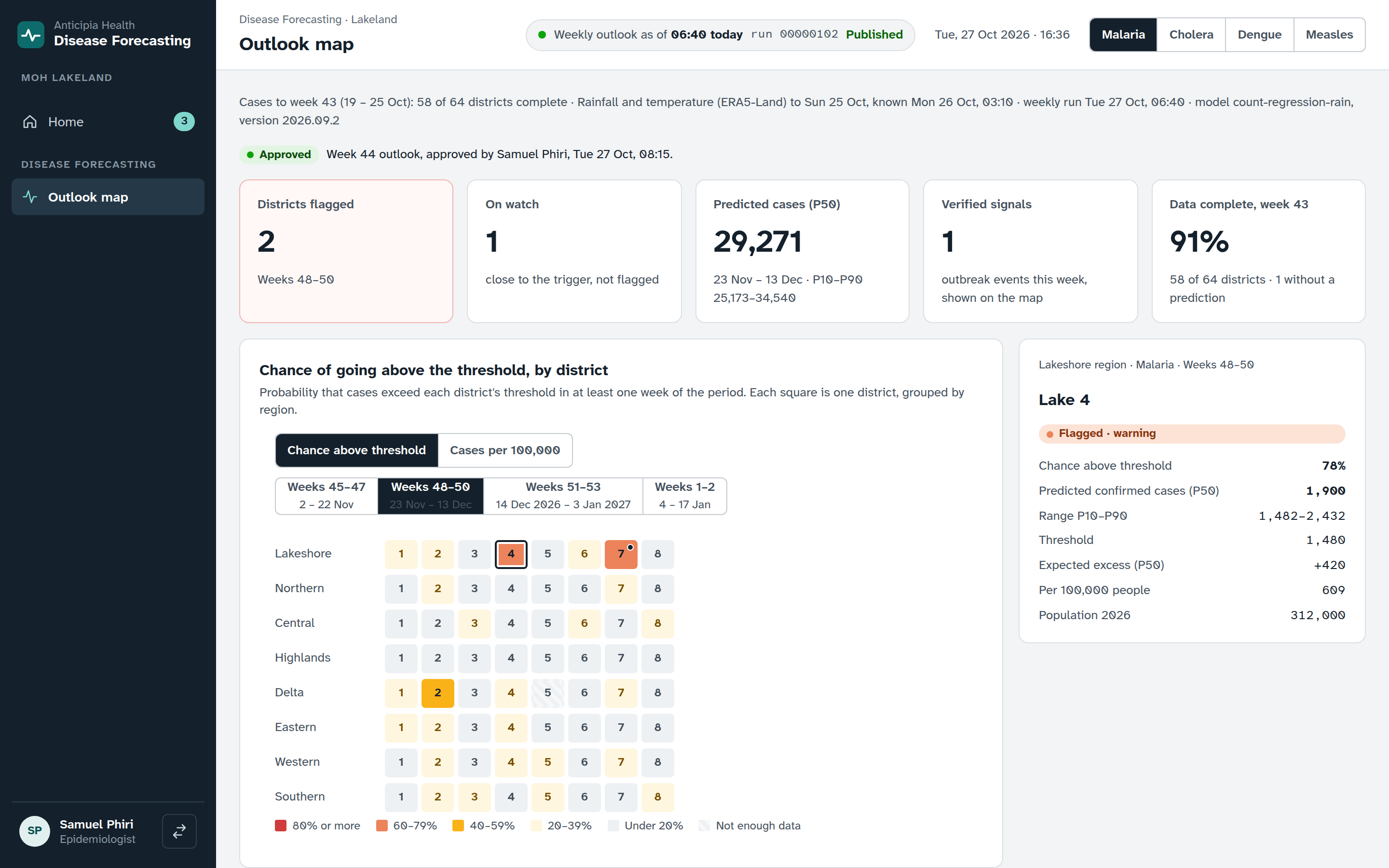
Where will disease burden rise, and when should we act?
Who it is for: Epidemiologists and public-health institutes.
- An outlook map by district, for a disease and a time window.
- The chance of crossing a threshold, or the predicted rate.
- Flagged and watched districts, with the change since the last run and response actions.
The AI assistant
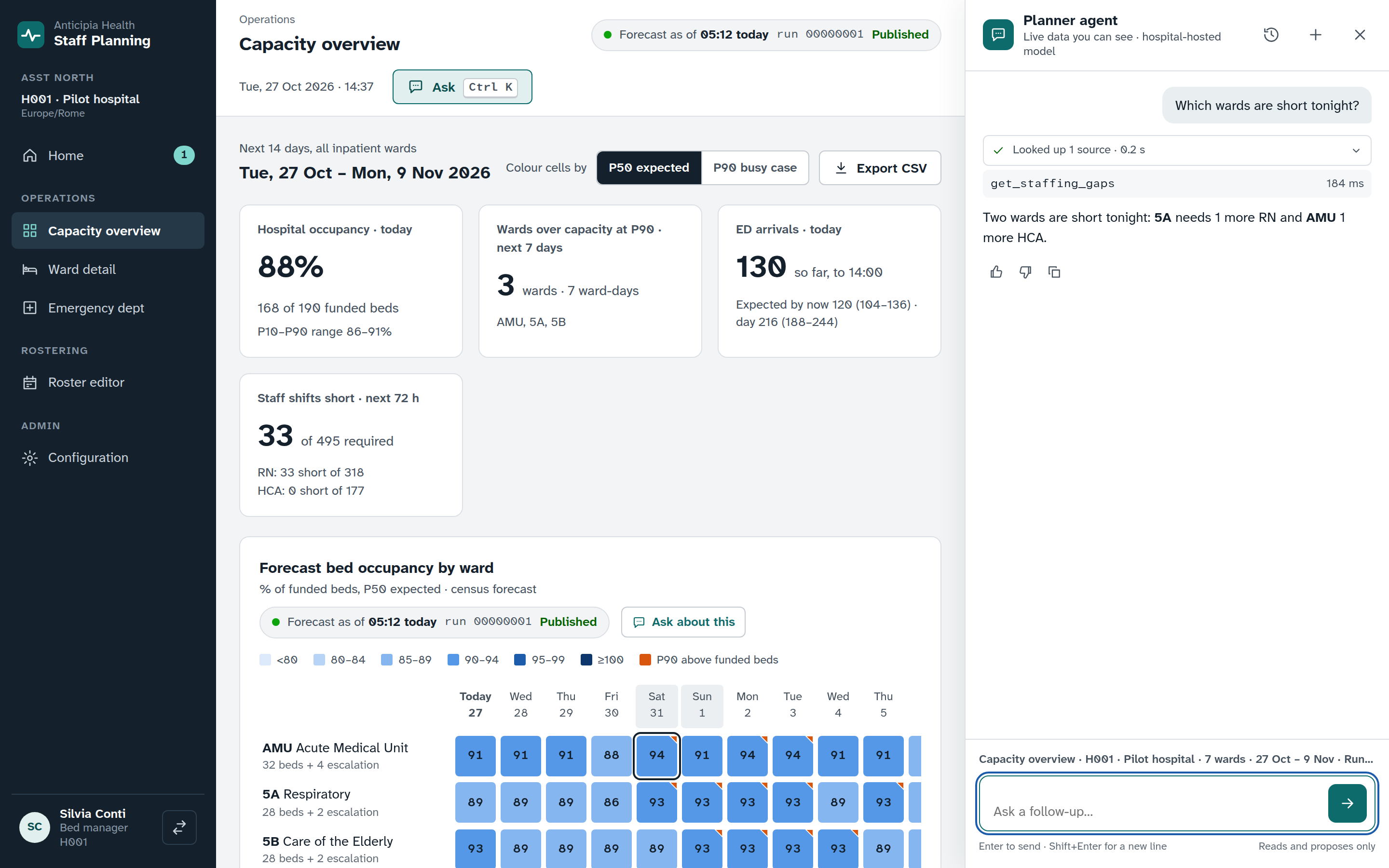
Ask the platform in plain language
Who it is for: Anyone who has the assistant switched on. It works with the access of the person who asks.
- Ask a question such as “Which wards are short tonight?”
- Answers come from the platform’s own results, with their sources.
- Tables and charts are built from those results, never typed by a model.
- When a change makes sense, the assistant proposes it and a person applies it. It cannot approve, publish or delete.
Switch on what you need
One platform carries every product. A product that is switched off stays hidden. A read-only product shows its data and allows no changes or jobs. Staff sign in once and see only the products and data they have the right to.
See Rostering working
Book a demo and watch a period move from forecast to requirement to draft to approval.