Anticipia Staff Planning
How many patients, how many staff, who works when?
Staff Planning forecasts admissions, discharges and bed census for every ward as an expected case and a busy case. It turns them into the staff each shift needs, using your own ratios and rules, and hands that requirement to Rostering.
From forecast to roster
Staff Planning is built for ward and nursing managers and bed managers. It forecasts demand and sets the staffing requirement that Rostering drafts against.
Demand forecast
Admissions, discharges and bed census for every ward, as an expected case and a busy case.
Staffing requirement
Your ratios, minimums and skill rules turn the forecast into the staff required for every ward, shift and role.
Roster
Rostering drafts a roster against the requirement with its optimiser.
Approval
Submit, approve, publish. Nothing is published automatically.
Demand as a range
A forecast is a range, not a single number. The expected case is the middle of it, and the busy case is the high end. The level you plan for comes from your staffing rules: the more a missing nurse costs against an unneeded shift, the higher it sits.
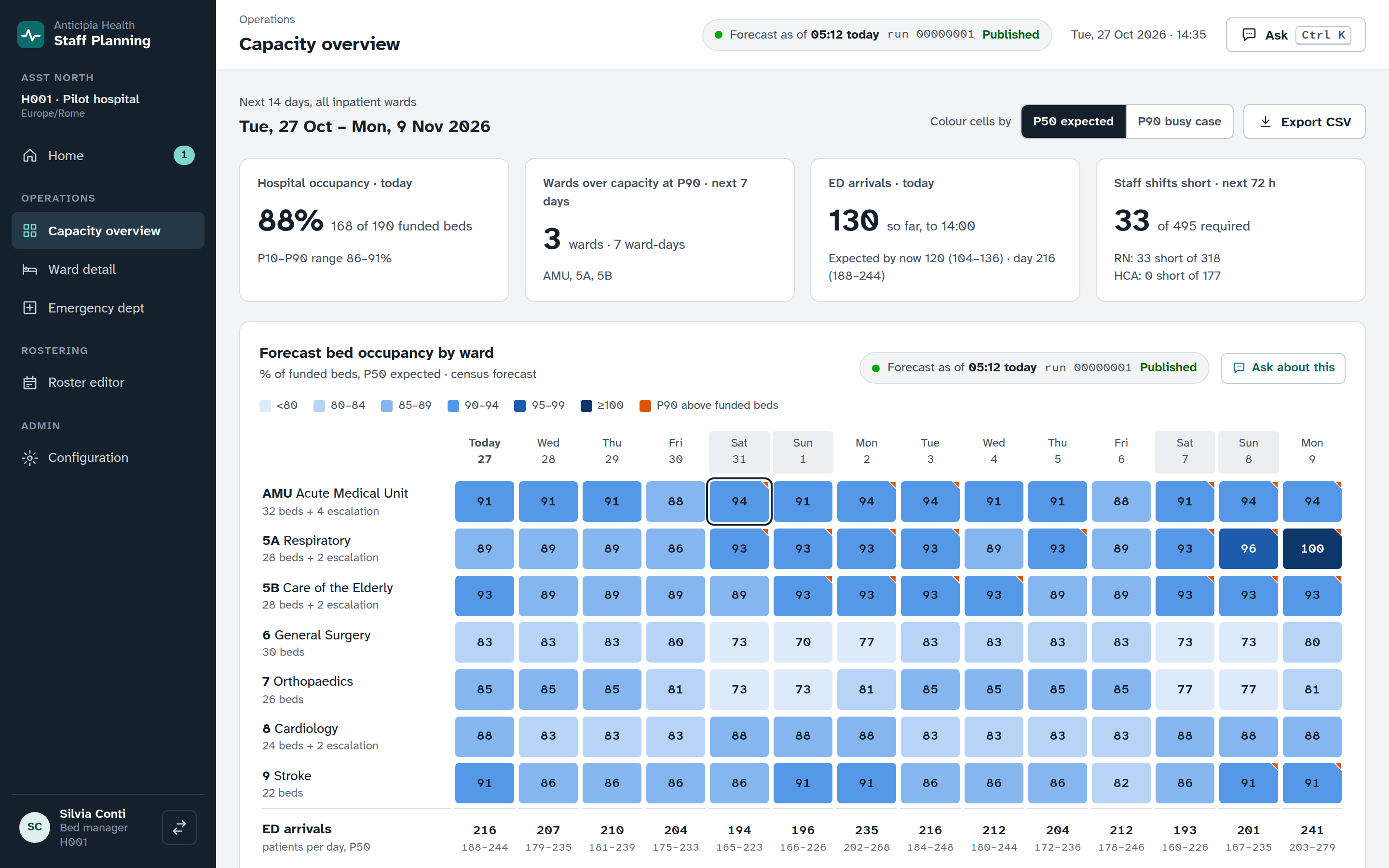
The capacity overview
Open the capacity overview to see every ward in the hospital at once.
- Today’s tiles show where the hospital stands now against what was expected by this hour.
- The heatmap lays out wards by day. Move through it with the arrow keys, and press Enter to select a ward and a day.
- Choose the expected case or the busy case. Your choice stays in the address, so a link shares it.
- A selected ward and day shows its staffing requirement as role chips, beside the alerts for the days that need attention.
- The emergency department has its own day row and an hourly chart.
- Export what you see as CSV.
Every number names its run
Each screen shows the forecast run behind its numbers, and marks it when it is older than it should be. People see only published runs.
Bed demand has its own run, because the census a full ward records is capped by its beds. The overview shows both, and marks a day with no forecast as a dash.
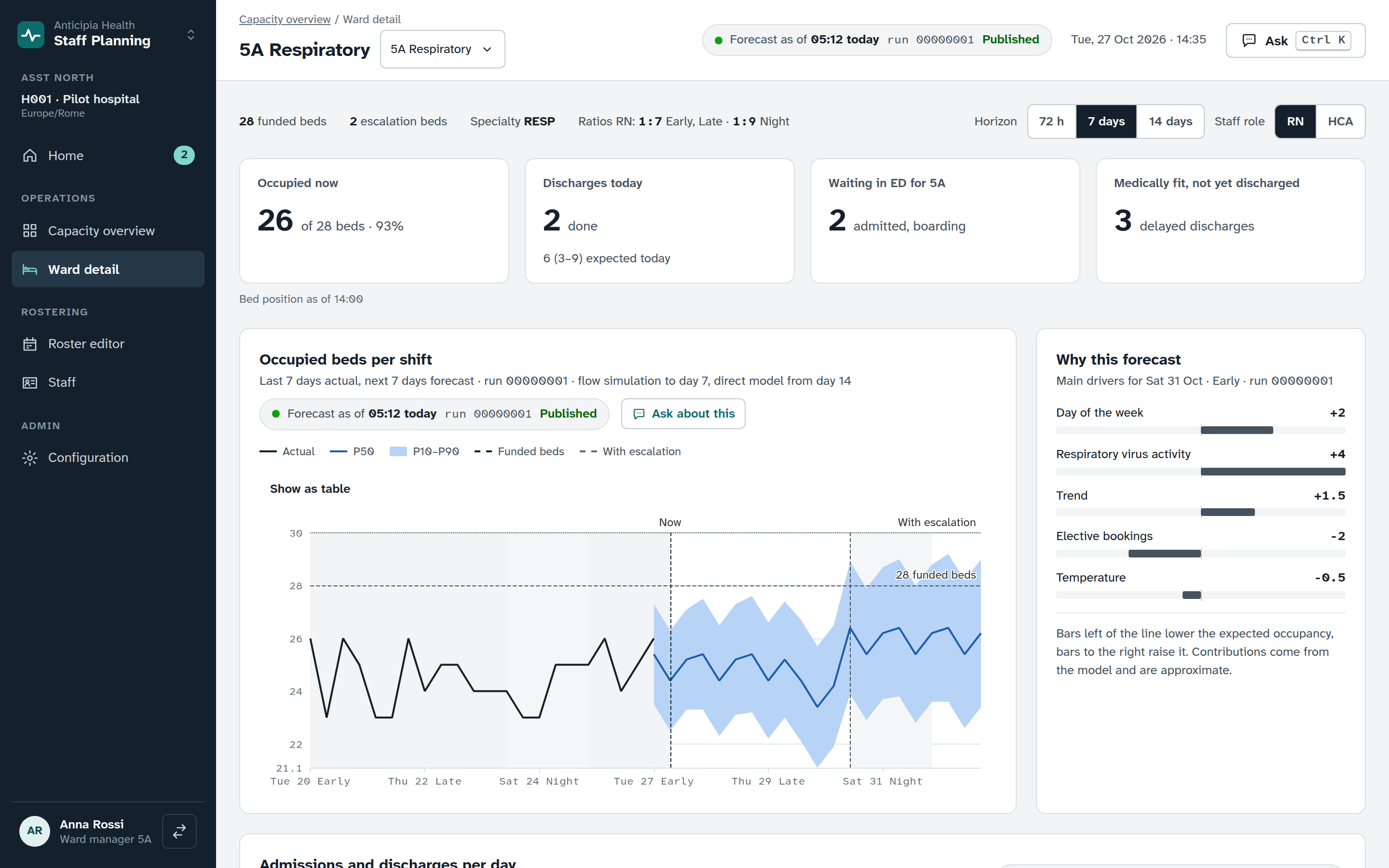
Ward detail
Pick a ward, a horizon and a role, and the page shows what the forecast means for that ward.
- The census chart draws the expected case with its band up to the busy case. Click a point, or press Enter on a row of the table view, to select a day and shift.
- Drivers list what moves the forecast.
- Admissions and discharges each have a chart and a table behind it.
- The staffing table sets required staff against rostered staff for each shift and role. A row says short, over or covered in words, so no row depends on colour.
- Ward, horizon and role are kept in the address.
The emergency department view
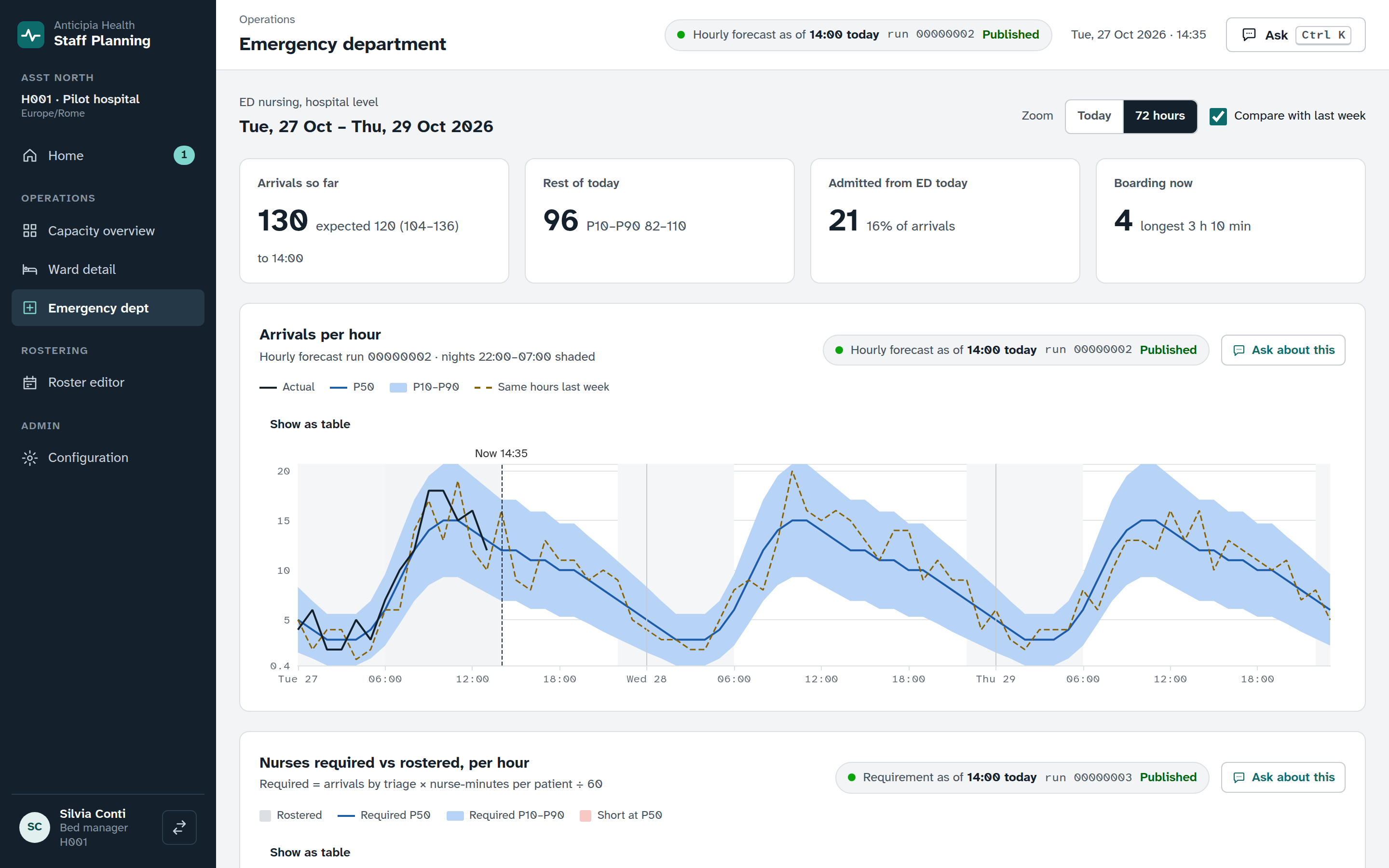
Emergency nursing follows the hour, not the shift. The emergency department view shows the day as it unfolds.
- Arrivals per hour as an expected case with its range, against actual arrivals and, if you choose, the same hours last week, with nights shaded and a Now marker.
- Nurses required and nurses rostered for each hour, so a gap shows where it falls.
- A summary of today’s shifts states each gap in words.
- The mix of arrivals by triage category.
- Zoom presets and a compare view. On the day the clocks go back, the chart shows all 25 hours.
Requirements from your own rules
The staffing requirement follows a formula you can read, from ratios, minimums and fixed staff that you set for each ward, role and shift.
How a requirement is made
For a ward, shift and role, Staff Planning takes the forecast census at your planning level and adds an allowance for admissions and discharges. It divides by your patients-per-staff ratio, never goes below your minimum, and adds any fixed staff.
The planning level comes from you. The planning-level helper turns the cost of a missing nurse and the cost of an unneeded shift into the level of the census to plan for.
Rules you control
- Rules are versioned, with validity dates.
- Pick a date to see the rules that applied then. A banner lists what the next version changes.
- Save a change as a new version from a start date. The rules for past days never change.
- Before you save, the impact preview shows the staff each role needs at the expected case and under your edited rules, and the shifts expected to fall short.
One inbox for work that needs a person
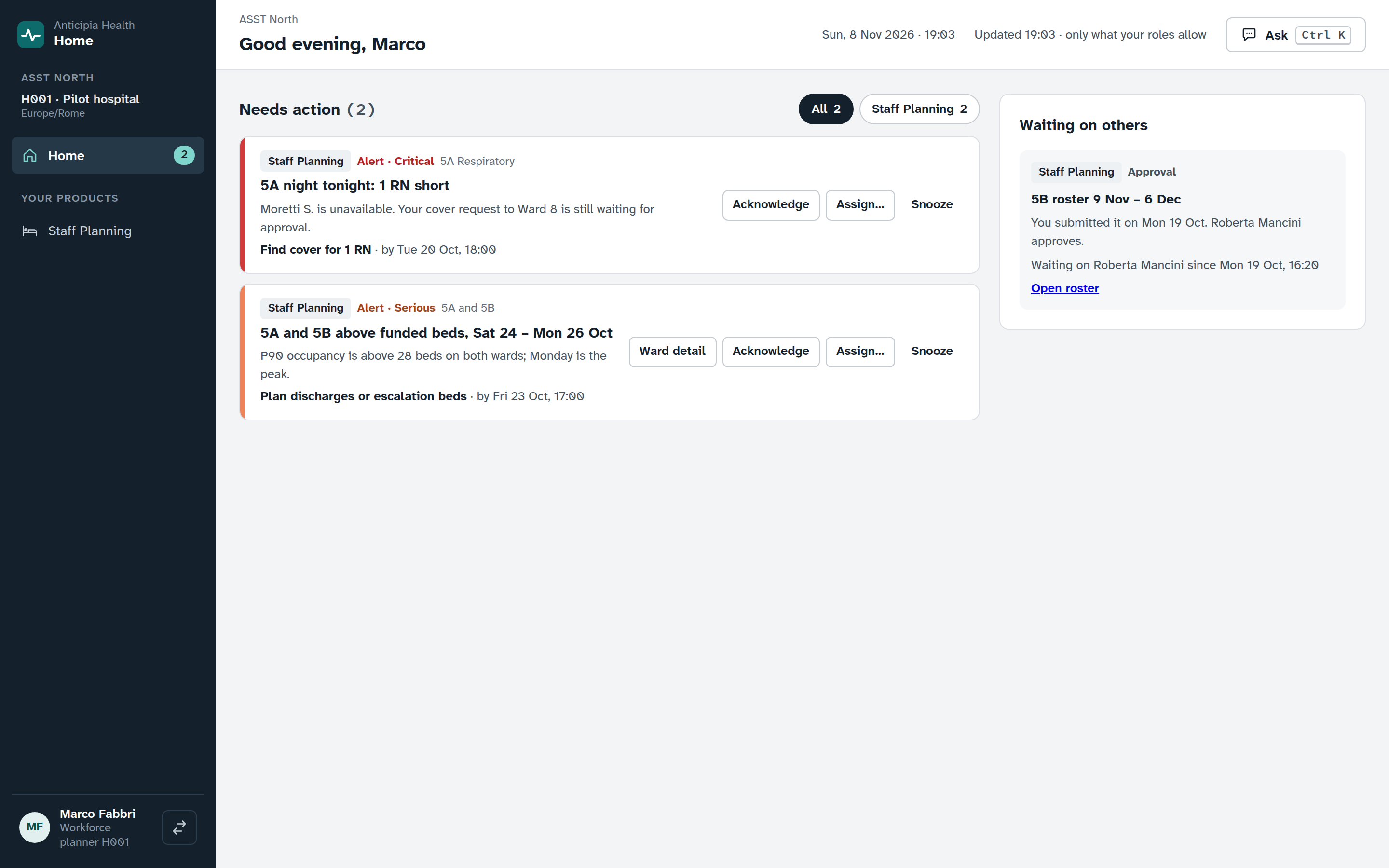
Home, the first screen after sign-in, gathers what needs attention across the products you use into one inbox, so a manager starts the day in one place.
- Filter the inbox to the items you want to see.
- Acknowledge an item, assign it, mark it done, snooze it or dismiss it. Bring a dismissed item back.
- See what you are waiting on from others.
- The open count sits in the sidebar.
Rostering takes it from here
Rostering reads the staffing requirement that Staff Planning produced. Each draft names the requirement run it covered, so you can trace a roster back to the forecast behind it.
See Staff Planning working
Book a demo and follow a ward from forecast to staffing requirement to roster.